BISP 8171 Eligibility Check Approved, Pending, Or Rejected Step By Step Method 2026
BISP 8171 Eligibility Check
If you have been waiting for your BISP payment and have no idea why it has not arrived yet, you are not alone. Millions of families across Pakistan are in the exact same situation right now. They send their CNIC to 8171, get a reply, and then have no idea what that reply actually means.
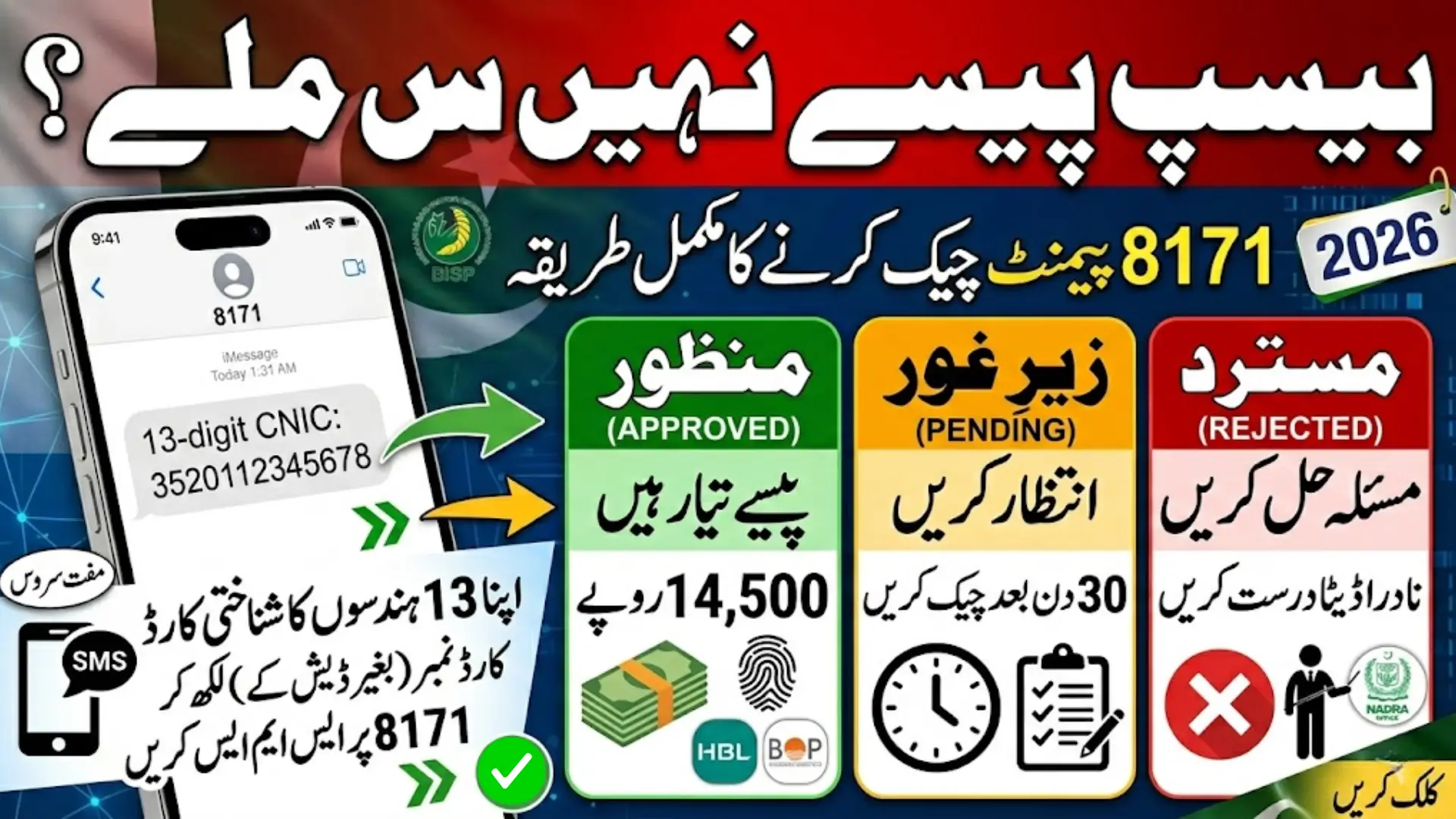
The result you get is not just a random message. It tells you exactly where you stand with the Benazir Income Support Programme. If your result says Approved, your payment is ready. If it says Pending, your case is still being reviewed. If it says Rejected, you did not qualify this time but you can still fix it.
Each result means something different. And each one requires a different action from you. This guide walks you through every step in simple, plain language so you know exactly what to do next.
Quick Answer
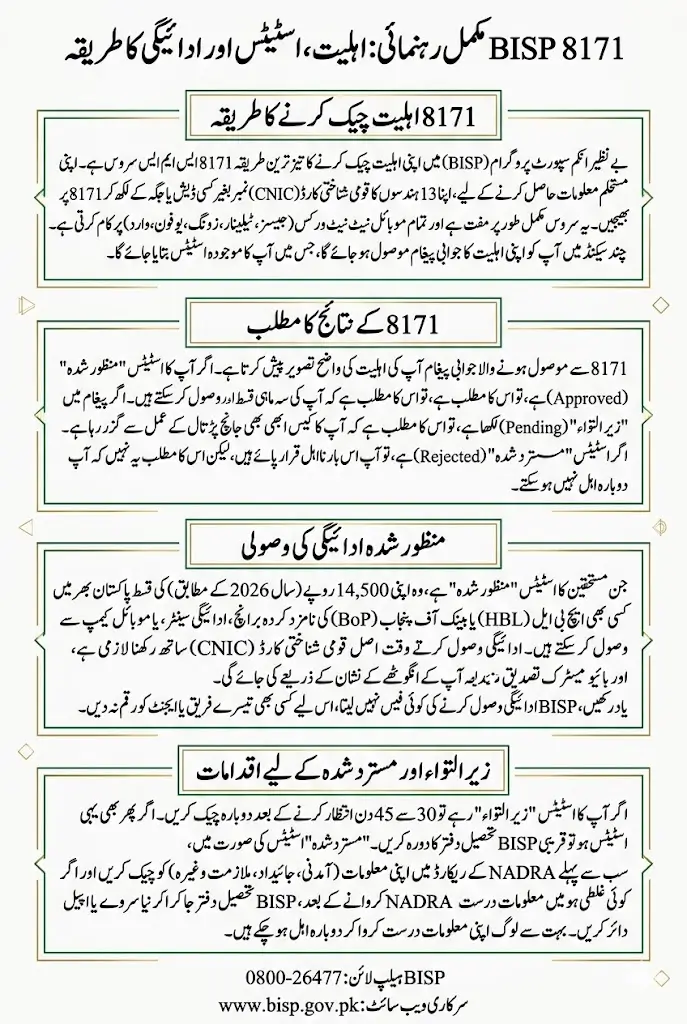
The BISP 8171 eligibility check lets you verify your BISP status by sending your 13-digit CNIC number to 8171 via SMS. Your result will show one of three statuses. Approved means your payment is ready. Pending means your case is still being reviewed. Rejected means you did not qualify, but you can challenge this decision.
Key Information
| Detail | Information |
|---|---|
| SMS Shortcode | 8171 |
| Service Cost | Free (standard SMS rate applies) |
| Payment Amount | Rs. 14,500 per quarter (2026) |
| Helpline Number | 0800-26477 |
| Official Website | www.bisp.gov.pk |
| Office Hours | Monday to Friday, 9 AM to 4 PM |
| Operated By | BISP in partnership with NADRA |
What Is the BISP 8171 System?
The 8171 shortcode is an official SMS service launched by the Benazir Income Support Programme. It works in partnership with NADRA, the National Database and Registration Authority, to give every registered family instant access to their status.
You do not need the internet. You do not need a smartphone. Any basic phone on any network works. Jazz, Telenor, Zong, Ufone, and Warid all support this service.
When you send your CNIC number to 8171, the system cross-checks your data with NADRA records and returns your eligibility result within seconds. That is it.
Now here is the interesting part. Most people only check their status once and then give up if the answer is not what they expected. But what they do not realize is that each status has a specific reason behind it, and in many cases, the situation can be fixed.
Also Read: 8171 Ehsaas Program Re-Verification Method 2026
Who Qualifies for BISP in 2026?
BISP uses a system called the Proxy Means Test, or PMT, to decide who gets financial support. This test looks at your household income, assets, land ownership, and employment status.
You are likely eligible if you meet these conditions:
- Your monthly household income falls below the national poverty line
- You hold a valid CNIC issued by NADRA
- Your family does not own more than 3 acres of agricultural land
- No family member works as a government employee or pays income tax
- You are not already receiving support from another government programme
One important thing to know. Even if you qualified in 2024 or 2025, your status can change in 2026. BISP conducts fresh surveys and updates its data regularly. Always check again at the start of each year.
How to Check Your BISP 8171 Eligibility: Step by Step
Method One: SMS Check (Fastest Way)
This is the method most Pakistanis use, and for good reason. It takes less than a minute.
- Open the messages app on your phone
- Create a new message
- Type your 13-digit CNIC number with no dashes and no spaces. Example: 3520112345678
- Send it to 8171
- Wait for the reply, which usually arrives within 10 to 30 seconds
- Read the message carefully to find your status
That reply will tell you whether you are Approved, Pending, or Rejected. Save that message. You may need it later.
Method Two: Online Web Portal
If you prefer checking on a screen with more detail, use the BISP web portal.
- Open any browser on your phone or computer
- Visit 8171.bisp.gov.pk
- Go to the Eligibility Check or Payment Status section
- Enter your 13-digit CNIC number
- Complete the CAPTCHA security check if it appears
- Click Submit or Check Now
- Your status will appear on the screen within a few seconds
Method Three: Visit a BISP Office
If the first two methods are not working for you, visiting in person is always an option.
- Bring your original CNIC and one photocopy
- Go to your nearest BISP Tehsil Office on a weekday between 9 AM and 4 PM
- Ask the staff to run an eligibility check on your CNIC
- They will check the system and explain your current status
- If there is an error, you can submit a correction request right there
What Your Status Actually Means
Approved Status: Your Payment Is Ready
If your result says Approved, your eligibility has been confirmed by both BISP and NADRA. Your quarterly payment of Rs. 14,500 is released and waiting for you.
You can collect your payment from:
- HBL (Habib Bank Limited) branches across Pakistan
- Bank of Punjab branches in your area
- BISP Payment Centers at the Tehsil level
- Mobile payment camps in rural and remote areas
When you go to collect, bring your original CNIC. Biometric verification through your thumb impression is mandatory. Do not hand your CNIC to any agent or third party. BISP does not charge any collection fee. If someone asks you for money to help collect your payment, walk away and call 0800-26477 immediately.
Pending Status: Still Being Processed
Pending does not mean rejected. Many people panic when they see this, but it simply means your case is still being reviewed. Why does this happen, here are a few common reasons:
- You recently registered and your application is in the queue
- Your NADRA data was updated recently and needs re-verification
- A household survey was completed but the data has not been entered yet
- Your PMT score is being recalculated after a change in your household
What should you do? Wait 30 to 45 days and check again via SMS. Make sure your CNIC is not expired. If your status stays Pending beyond 60 days, visit your nearest BISP Tehsil Office and request a manual check. Data errors that cause long delays almost always need to be fixed in person.
Rejected Status: You Can Still Fight This
A Rejected result means BISP has determined you do not meet the eligibility criteria based on the data in their system. But here is what most people do not know. This decision is not always final.
Common reasons for rejection include:
- Your PMT score is above the poverty threshold
- A family member appears in NADRA records as a government employee
- Your household is registered as owning property above the allowed limit
- Your registration data contains errors, such as a name or address mismatch
- Your CNIC is expired or blocked in the NADRA database
Here is what to do next:
- Check whether your CNIC is valid at nadra.gov.pk
- Visit your BISP Tehsil Office to get the specific reason for rejection
- If the rejection is based on wrong data, file a correction at NADRA first
- After NADRA corrects your records, apply for a fresh BISP PMT survey
- Submit a formal complaint through the BISP portal if you believe the rejection was unfair
- Call 0800-26477 for guidance on next steps
Many families in Lahore, Karachi, Peshawar, and rural Punjab have successfully reversed a rejection simply by correcting a data error in their NADRA records. It takes effort but it works.
Also Read: Benazir Hunarmand Program Online Registration
Common Problems and Their Solutions
No reply from 8171: Check your signal strength, wait one hour, and try again. You can also use the web portal as an alternative.
CNIC format error: Make sure you are sending exactly 13 digits with no dashes, spaces, or letters.
Website not loading: Try a different browser or clear your cache. The portal sometimes goes under maintenance during peak hours.
Status showing outdated information: BISP updates its data on a monthly cycle. Wait 24 hours and check again.
CNIC not found in the system: Visit a NADRA office to confirm your CNIC is active and not flagged.
Payment approved but not received: Go to your nearest HBL or Bank of Punjab branch with your original CNIC and complete biometric verification.
BISP Contact Information 2026
- Toll-Free Helpline: 0800-26477, available Monday to Saturday, 9 AM to 5 PM
- SMS Shortcode: 8171
- Official Website: www.bisp.gov.pk
- Email: info@bisp.gov.pk
- Head Office: Block F, Pak Secretariat, Islamabad
How to Protect Yourself from BISP Fraud
Fraud targeting BISP beneficiaries is a real and growing problem across Pakistan. Keep these points in mind:
- The 8171 service is completely free. No one should charge you to check your status.
- Never share your CNIC number or thumb impression with unofficial agents.
- BISP will never call you asking for money or your bank details.
- Avoid any website that is not www.bisp.gov.pk when checking your status.
- Report suspected fraud to the helpline at 0800-26477 or to your local police station.
FAQs
How do I check my BISP 8171 eligibility by SMS?
Send your 13-digit CNIC number without dashes or spaces to 8171. You will receive a reply within 30 seconds showing your current eligibility status. This service works on all Pakistani mobile networks and is free to use.
What does Pending status mean on BISP 8171?
Pending means your application is still being processed by BISP and NADRA. It does not mean rejection. Wait 30 to 45 days and check again. If the status does not change after 60 days, visit your nearest BISP Tehsil Office for a manual check.
Can a Rejected BISP status be reversed? Yes, it can. If the rejection is based on incorrect data in your NADRA records, you can file a correction at NADRA and then apply for a fresh BISP PMT survey. Many families have successfully had their rejection reversed this way.
How much is the BISP payment in 2026?
The quarterly payment under BISP in 2026 is Rs. 14,500. This amount is subject to revision by the government. Payments are collected from designated HBL and Bank of Punjab branches across Pakistan.
What documents do I need to collect my BISP payment?
You need your original CNIC. No photocopies are accepted. Your thumb impression will be verified biometrically at the payment counter. No fee is charged for payment collection.
Why is my CNIC not found in the BISP 8171 system?
This usually means your CNIC is expired, blocked, or not yet registered in the BISP database. Visit a NADRA office to check your CNIC status and resolve any issues before applying to BISP again.
How long does BISP eligibility approval take?
For new applicants, the process can take 45 to 90 days depending on your area and the current workload of the BISP and NADRA systems. Existing beneficiaries usually get faster updates during quarterly payment cycles.
Also Read: 8171 New Registration Process 2026
Conclusion
The BISP 8171 system exists for one reason. To make sure deserving families across Pakistan can access support without unnecessary barriers. Now that you know what each status means and exactly what to do about it, you are in a much stronger position to follow through. Keep checking your status regularly, and do not hesitate to call the helpline if something does not seem right.