How to Verify BISP Digital Wallet SIM Eligibility Online Complete Step-by-Step Guide 2026
How to Verify BISP Digital Wallet SIM Eligibility
If you are a BISP beneficiary and you want to know whether you qualify for the Digital Wallet SIM, you are in exactly the right place. Thousands of women across Pakistan are asking the same question right now. How do I check my eligibility? Where do I go? What documents do I need? What happens after eligibility is confirmed?
This guide answers every single one of those questions. Step by step. In plain, simple language. By the time you finish reading, you will know exactly what to do, in what order, and what to expect at every stage. No confusion. No back and forth. Just one complete guide that covers everything from eligibility check all the way to withdrawing your money.
Quick Answer
To verify your BISP Digital Wallet SIM eligibility online, visit 8171.bisp.gov.pk, enter your 13-digit CNIC number, complete the CAPTCHA, and click submit. Your eligibility status will appear instantly. If you are eligible, visit the nearest BISP office or campsite to collect your SIM and complete biometric verification. The entire process is free and no agent is required at any stage.
Also Read: Punjab Government Available Jobs Details, Eligibility, And Step-By-Step Online Application Method
Key Information
| Detail | Information |
|---|---|
| Program | BISP Digital Wallet SIM System |
| Eligibility Check Portal | 8171.bisp.gov.pk |
| Required for Check | 13-digit CNIC number |
| SIM Collection Point | Nearest BISP Office or Campsite |
| Verification Type | Biometric thumb impression |
| Verified Against | NADRA national database |
| Payment Method | Digital Wallet direct transfer |
| Service Cost | Completely Free |
| Helpline | 8171 |
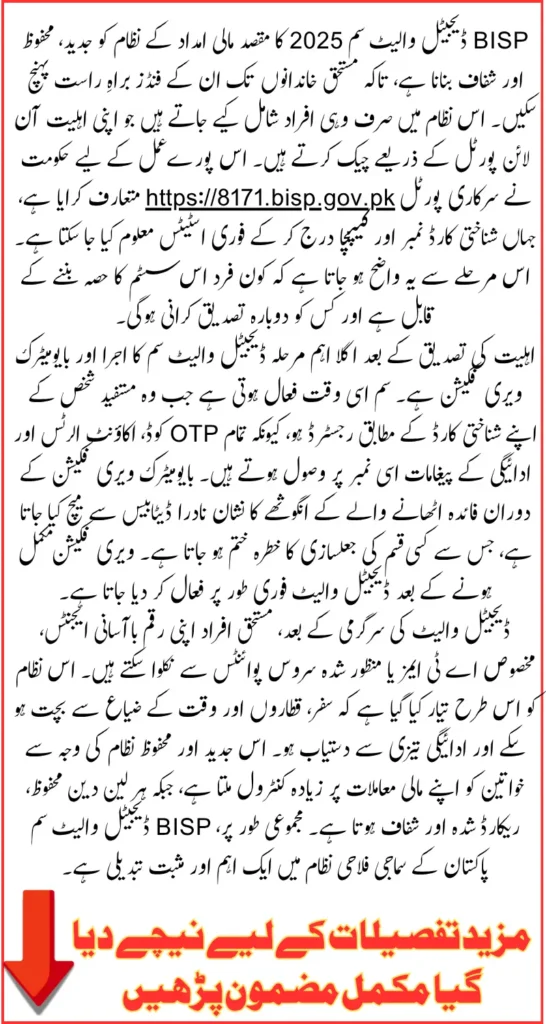
What Is the BISP Digital Wallet SIM System?
Before jumping into the steps, it helps to understand what this system actually is and why it was introduced. The BISP Digital Wallet SIM is a secure, modern payment delivery method that gives registered beneficiaries direct access to their financial assistance through a personal digital wallet. Instead of standing in long queues at payment centers or depending on agents who sometimes make deductions, a woman receives her money directly into her own wallet account.
The wallet is linked to a SIM card registered in the beneficiary’s own name. This SIM receives payment notifications, OTP codes, and account alerts. Nobody else can access the account. Nobody else can make withdrawals. The money belongs to the rightful owner and only she can touch it.
This system was introduced to solve three major problems that existed in the old payment process. Long queues. Agent deductions. And women having no financial independence or privacy when collecting their own money. The Digital Wallet SIM fixes all three.
Step One: Check Your BISP Digital Wallet SIM Eligibility Online
This is where everything begins. Before you visit any office or collect any SIM, you need to confirm that you are eligible through the official online portal. Here is exactly how to do it:
Step 1: Open any browser on your phone or computer and go to the official BISP portal at 8171.bisp.gov.pk. Make sure you are using a secure internet connection and that you are on the correct official website.
Step 2: Find the CNIC input field on the homepage. Enter your 13-digit CNIC number carefully. Do not add spaces, dashes, or any other characters. Just the 13 digits.
Step 3: Look at the CAPTCHA code displayed on the screen and type it exactly as shown. This step verifies that you are a real person using the system.
Step 4: Click the Submit button to send your information for verification.
Step 5: Wait a few seconds while the system checks your details against the official BISP database.
Step 6: Your eligibility status will appear on the screen. Read it carefully. If it shows eligible, you can move to the next step. If it shows ineligible or needs update, read the guidance on screen for re-verification options.
Step 7: Save or note down your result. You may need this information when you visit the BISP office.
The entire online check takes less than two minutes. It is free, requires no registration, and gives you an instant result directly from the official database. guided toward re-verification options. This ensures that only authenticated beneficiaries gain access to the financial assistance system.
Eligibility Requirements: What You Must Have to Qualify?
Checking your status online is the first step. But it also helps to know in advance what conditions must be met for eligibility to be confirmed. Go through this table carefully.
| Requirement | Details |
|---|---|
| Valid CNIC | Must be active and verified through NADRA |
| Registered SIM | SIM must be in the beneficiary’s own name |
| Biometric Verification | Thumb impression must match NADRA records |
| BISP Approval | Must be approved for the current payment cycle |
| NSER Data | Household data must be updated if requested |
If any one of these conditions is not met, your eligibility may show as pending or ineligible. In that case, visit your nearest BISP tehsil office with your original CNIC for guidance on how to resolve the issue.y move to the next step if all conditions are met. These checks ensure the financial assistance reaches the correct recipient.
Also Read: Sindh Wheat Growers Support Program – Payments Begin Through Benazir Hari Card Full Details Inside
Step Two: SIM Collection and Activation at BISP Office
Once your online eligibility check comes back confirmed, the next step is to collect your official Digital Wallet SIM and get it activated. This must be done in person at a BISP office or official campsite. Here is the complete process:
Step 1: Locate your nearest BISP office or official campsite in your area. You can find this information by calling the helpline at 8171.
Step 2: Carry your original CNIC with you. Without it, the process cannot begin.
Step 3: Present your CNIC to the BISP staff member at the counter for initial verification.
Step 4: The staff will provide you with the official Digital Wallet SIM registered in your name against your CNIC.
Step 5: You will be directed to the biometric verification desk where your thumb impression will be captured.
Step 6: After successful biometric match, your SIM will be activated and linked to your digital wallet account.
Step 7: You will receive a confirmation slip or digital receipt confirming your wallet is now active and ready to receive payments.
This entire process at the office is straightforward and staff members are available to guide you through every step. Do not hand your CNIC or SIM to anyone other than official BISP staff.
Why SIM Ownership Matters So Much
This point cannot be stressed enough. The SIM must be registered in your own name. Not your husband’s name. Not your son’s name. Not any other family member. Yours alone.
Here is why this matters so much:
- Only your personal SIM receives OTP codes needed for transactions
- Payment alerts and balance notifications are sent to this SIM only
- The digital wallet cannot be activated without a SIM in your own name
- Your SIM being personal ensures nobody else can access your account
- Every transaction is linked to your SIM for full security and privacy
If someone tells you that you can use a family member’s SIM, that is incorrect information. The system is designed specifically so that only the rightful beneficiary has access. This is what makes the Digital Wallet SIM truly secure.
Step Three: Biometric Verification Process
Biometric verification is what connects your identity to your digital wallet permanently. It is quick, simple, and handled entirely by BISP staff. Here is what happens during biometric verification:
Step 1: Your CNIC is scanned and verified for authenticity at the counter.
Step 2: A biometric device captures your thumb impression.
Step 3: Your fingerprint data is instantly cross-checked against NADRA’s national database.
Step 4: When your identity is confirmed, the staff computer shows a successful match.
Step 5: Your digital wallet is linked to your verified CNIC.
Step 6: An SMS confirmation is sent to your registered SIM number confirming activation.
Step 7: You receive an activation slip or digital receipt as proof that your wallet is now live.
The biometric verification step usually takes only a few minutes. Once it is done, your wallet is immediately active and ready to receive your BISP payment.nly a few minutes. Once confirmed, the wallet is activated immediately, enabling the beneficiary to access funds without delay.
Step Three: Biometric Verification Process
Biometric verification is what connects your identity to your digital wallet permanently. It is quick, simple, and handled entirely by BISP staff.
Here is what happens during biometric verification:
Step 1: Your CNIC is scanned and verified for authenticity at the counter.
Step 2: A biometric device captures your thumb impression.
Step 3: Your fingerprint data is instantly cross-checked against NADRA’s national database.
Step 4: When your identity is confirmed, the staff computer shows a successful match.
Step 5: Your digital wallet is linked to your verified CNIC.
Step 6: An SMS confirmation is sent to your registered SIM number confirming activation.
Step 7: You receive an activation slip or digital receipt as proof that your wallet is now live.
The biometric verification step usually takes only a few minutes. Once it is done, your wallet is immediately active and ready to receive your BISP payment.
How to Withdraw Money from Your Digital Wallet
Your wallet is active. Your payment has arrived. Now how do you actually get your money? You have multiple options depending on what is most convenient for your location.
Option 1: Authorized Wallet Agent
This is the most accessible option for most beneficiaries, especially in smaller towns and villages.
- Visit any authorized wallet agent near your area
- Provide your CNIC for identity verification
- Complete OTP or biometric verification as required by the agent
- The agent processes your withdrawal through the wallet system
- You receive your cash immediately after transaction confirmation
- Every transaction is digitally recorded for full transparency
Option 2: ATM Withdrawal
For beneficiaries who prefer more independence and privacy:
- Visit a supported ATM in your area
- Use your CNIC and thumb biometric for verification
- Select the withdrawal amount
- Collect your cash and keep the printed receipt
Both options are completely secure. Every transaction is recorded digitally, so there is full accountability at every step.
What If Your Eligibility Check Shows Ineligible?
Do not panic. Ineligible status does not always mean you are permanently disqualified. There are several common reasons this can happen and most of them can be resolved.
Common reasons for ineligible status:
- CNIC has expired and needs renewal through NADRA
- Household data in the NSER system needs to be updated
- Biometric verification was not previously completed
- Payment cycle for your district has not yet started
- Data mismatch between BISP and NADRA records
What to do:
- Visit your nearest BISP tehsil office with your original CNIC
- Explain your situation to the staff and ask for re-verification guidance
- If your CNIC has expired, renew it at NADRA first
- If household data needs updating, request an NSER survey update
- Call 8171 for guidance before making the office visit
Do not pay anyone to resolve your eligibility issue. The process is free and official BISP staff handle all corrections at no charge.
Security Tips Every Beneficiary Must Know
The Digital Wallet system is secure by design. But your own habits also play a big role in keeping your account safe.
- Only use the official portal 8171.bisp.gov.pk for eligibility checks
- Never share your CNIC copy or OTP code with anyone
- Do not pay any agent or individual for help with registration. It is free
- Collect your SIM only from official BISP offices or campsites
- Report suspicious activity immediately by calling 8171
- Never give your SIM to a shopkeeper or anyone else for any reason
- If your SIM is lost, call 8171 immediately for guidance
Fraud cases targeting BISP beneficiaries do happen. Staying alert and sticking to official channels is the most effective protection.
FAQs
How do I check my BISP Digital Wallet SIM eligibility online?
Go to 8171.bisp.gov.pk, enter your 13-digit CNIC number, complete the CAPTCHA verification, and click submit. Your eligibility status will appear within seconds. The service is completely free and available 24 hours a day.
What should I do after my eligibility is confirmed online?
Once your eligibility is confirmed, visit your nearest BISP office or official campsite with your original CNIC. Staff will provide your Digital Wallet SIM and guide you through biometric verification to activate your wallet account.
Why does the SIM have to be in my own name?
The SIM must be in your name because it is directly linked to your wallet account. Only your registered SIM receives OTP codes, payment alerts, and account notifications. Using someone else’s SIM means someone else controls access to your money.
What happens if my eligibility check shows ineligible?
Ineligible status can result from expired CNIC, outdated household data, or a data mismatch. Visit your nearest BISP tehsil office with your original CNIC for guidance on re-verification. Do not pay anyone to resolve this. The process is completely free.
Can I withdraw money without biometric verification?
Biometric verification is mandatory at least once during wallet activation. After activation, withdrawals through authorized agents may use OTP verification. ATM withdrawals require CNIC and thumb biometric at the machine.
Where can I withdraw money from my Digital Wallet?
You can withdraw from any authorized wallet agent in your area or at a supported ATM using your CNIC and biometric verification. Both methods are secure and every transaction is digitally recorded for full transparency.
Is there any charge for the BISP Digital Wallet SIM or eligibility check?
No. Every part of this process is completely free. The eligibility check, SIM collection, biometric verification, and wallet activation all cost nothing. Anyone asking you to pay for any of these services is committing fraud. Report them immediately to 8171.
Conclusion
The BISP Digital Wallet SIM system is one of the most important steps Pakistan has taken toward giving women genuine financial independence. No more long queues. No more agent deductions. No more depending on someone else to collect your own money.
The process is clear, the system is secure, and everything is completely free. Check your eligibility right now at 8171.bisp.gov.pk, visit your nearest BISP office once confirmed, and take full control of your financial assistance. Your money. Your wallet. Your control.